AI Coach
Ask Claude or ChatGPT about your own trading
Connect your full trading data and get clear answers on what’s working, what’s hurting you and what to improve next.
7-day free trial, no credit card required
- Read-only connectionNothing is placed, moved or changed.
- Calculated, not guessedEvery figure is computed from your data.
- Yours to revokeGranted per account, revocable anytime.
Connect once and ask anything about your trading.
Connect once and ask anything about your trading.
Connect once and ask anything about your trading.
Connect once and ask anything about your trading.
- Read-only connectionNothing is placed, moved or changed.
- Calculated, not guessedEvery figure is computed from your data.
- Yours to revokeGranted per account, revocable anytime.
How it works
Your trades, your assistant, your answers
There is nothing to install and no new interface to learn. You add TradeChainly to Claude or ChatGPT once, and after that you just ask.
TradeChainly
Closed trades from your exchanges, with fills, fees, tags, notes and journal entries already in place.
Claude or ChatGPT
You add TradeChainly once, in the assistant you already use. Nothing new to learn and nothing to install.
Answers about your trading
Ask in plain language. Answers come back with real figures from your account and the number of trades behind them.
The connection stays read-only. Nothing is changed and nothing is moved.
Real answer example
What an answer actually looks like
Ask in plain language. The assistant reads your data, TradeChainly does the arithmetic, and the answer shows how many trades it rests on. Figures below are from a sample account.
Where am I losing the most?
You lose the most on long trades in Solana (SOLUSDT).
-$12,620 realised across 47 losing long trades.
- Solana (SOLUSDT) Long-$12,620
- Ethereum (ETHUSDT) Long-$6,230
- Bitcoin (BTCUSDT) Long-$3,410
All figures are realised P&L with trading fees deducted per fill.
The Bitcoin line rests on 16 trades, below the 30-trade threshold TradeChainly flags, so it is reported as a small sample rather than a pattern.
Real figures from your own account.
TradeChainly calculates every number.
You see how many trades back an answer.
Also worth asking
- “Which setups actually make me money?”
- “Do I trade worse after losses?”
- “What hour of the day do I trade best?”
- “What did fees cost me on my scalps last month?”
- “Which mistakes keep repeating?”
- “Compare October and November for me.”
Built for traders
Built for how traders actually think
AI Coach reads structured trading context, not a pile of raw text. It sees your setups, your mistakes, your markets and the patterns across them.
Trading context
It knows the difference between a setup, a mistake, a market and a timeframe, because those are fields in your journal rather than words in a paragraph.
- Setups
- Mistakes
- Markets
- Timeframes
Patterns over time
Ask about recurring patterns across weeks, months and markets, and it works from the ordered history rather than a snapshot.
Your data, your edge
Every answer is based on your own trades. Not a market view, not someone else's playbook.
Sample account.
Nuanced answers
It compares against your own baseline instead of reading a number back at you, so a figure arrives with something to measure it against.
- You1.7×
- Baseline1.0×
- Position size after a loss, against your own average.
Evidence you can trust
You see how many trades sit behind an answer. Under thirty is flagged as a small sample and under ten is called anecdotal.
- 47 trades, reported as a finding
- 16 trades, flagged as a thin sample
Private by design
Access is read-only and granted per account. You authorise it yourself, you can revoke it whenever you like, and your data goes only to the assistant you connected.
- Read-only
- Per account
- Revocable
AI Coach is built to be a thinking partner, not a signal provider.
It helps you understand what your own trading has already done, so the decisions stay yours.
Rigour
Why the answers hold up
TradeChainly computes and structures every figure, then hands it over. The assistant reasons about numbers it did not invent, and it tells you how many trades each one rests on.
Based on your real trades
Answers come from the trades, notes and history in your own account. Nothing is filled in from a market view.
- Your own closed trades and journal
- Traceable to a report you can open
- No advice that would fit any trader
Honest about sample size
Every statistic arrives with the number of trades behind it, so a thin result cannot quietly pass as a pattern.
- Under 30 trades is flagged as small
- Under 10 is called anecdotal
- Confidence intervals where they apply
Patterns, not noise
Sequencing and cohort analysis run over your ordered history, and an ordinary losing streak is treated as ordinary.
- Behaviour after wins and after losses
- Variance weighed before a claim
- Says so when there is nothing there
Reasoning you can inspect
TradeChainly computes and structures the figures. The assistant reasons over results it did not invent, which is where AI analysis usually goes wrong.
- Figures trace back to your reports
- Working shown, not hidden
- Describes behaviour, not motive
The result: fewer confident-sounding guesses, and answers you can check.
It will tell you that after losses you re-enter within twelve minutes at 1.7× your usual size and that those trades performed worse. It will not tell you that you are emotional, unless your own tags and notes say so.
Access
Your data stays yours
AI Coach reads only the TradeChainly account you connect it to. It cannot place trades, move funds or change anything.
AI Coach can read
- Your tradesClosed trades and their details
- ReportsPerformance and breakdowns
- Tags and notesSetups, mistakes and journal entries
- Account contextWhat data exists, so answers stay accurate
AI Coach cannot
- Place tradesNo trading permissions
- Move fundsNo deposits and no withdrawals
- Edit your dataNothing in your account is changed
- Reach anything elseOnly the account you authorised
- Read-only access
- Revoke anytime
- Per-account authorization
Every request is checked against your account before it returns anything, and every call is logged.
In context
Your journal is what makes the answers useful
AI Coach is not a standalone AI product. The journal underneath it is what gives the assistant something worth reading.
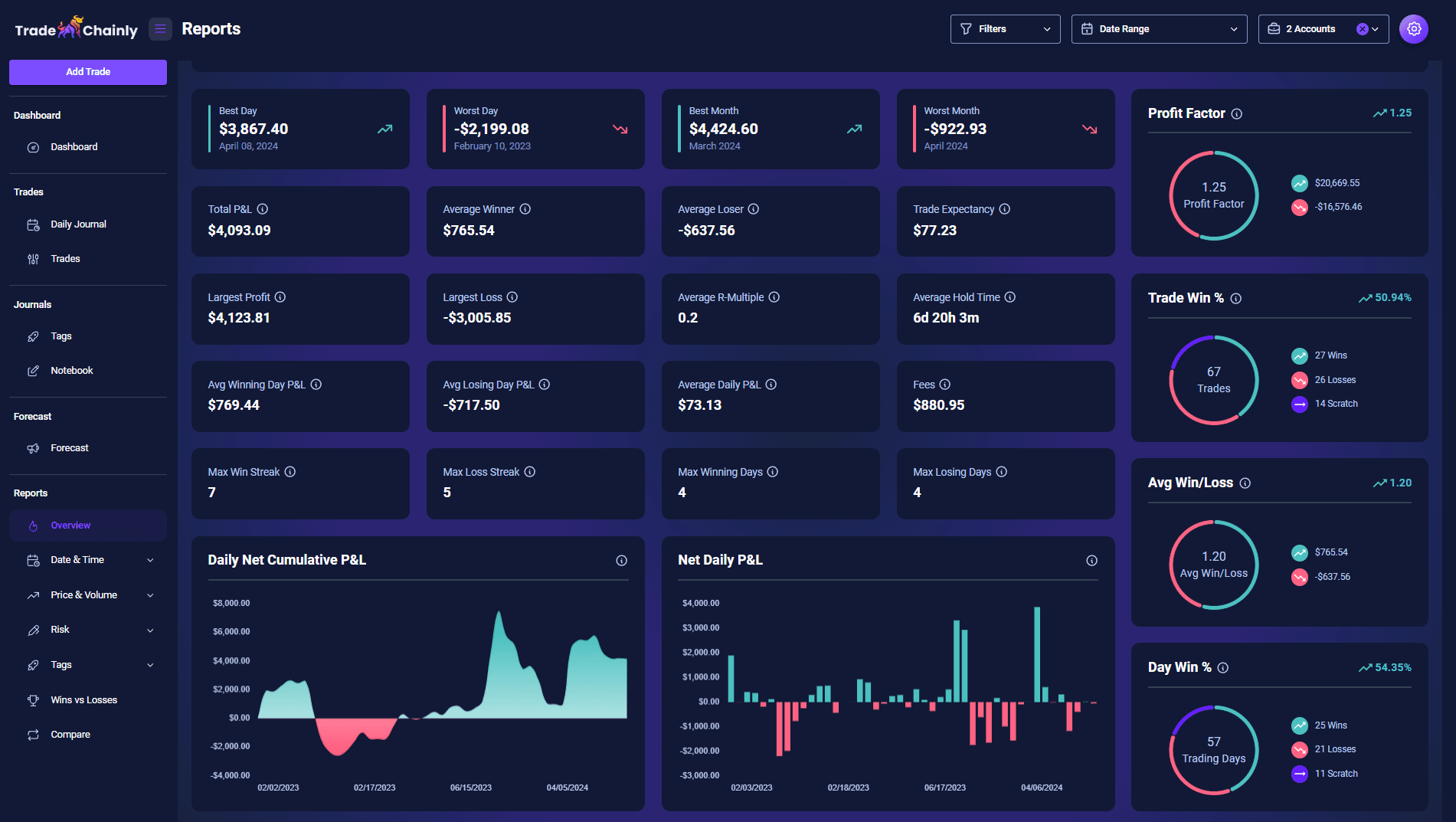
TradeChainly already syncs your trades from seven exchanges, deducts fees per fill, and breaks your performance down by symbol, hour, weekday, hold duration, position size, R-multiple, setup and mistake.
AI Coach is another way into that same analysis. Instead of working out which report answers your question, you ask the question.


7 exchanges supported

- Trades
- Tags and notes
- Reports
- Account context
Reads your structured context and works over it
Do I trade worse after losses?
Which setup has the best R-multiple?
Easy setup
Connect in minutes, start asking
Connect your assistant once. The connection stays read-only, and you can revoke it whenever you like.
Connect
Open AI Coach in TradeChainly and pick the assistant you already use.
Claude or ChatGPTAuthorize
Your assistant sends you back to TradeChainly to approve access.
Secure sign-inRead-only access
The connection can read your account and nothing more. Nothing is changed or moved.
Your data is safeReady to use
Ask about your trading in any conversation. The figures come from your own account.
No setup to repeatYou're in control
Disconnect whenever you like. Access is revoked straight away.
Full controlWorks with the assistants you already use
Claude or ChatGPT. Your choice, and your existing workflow.
Read-only by design. Nothing in your account is changed and nothing is moved.
- Secure sign-in
- Revoke anytime
- Your data stays yours
Setup
Choose your assistant
Both assistants follow the same basic flow. Add TradeChainly once, approve access, then ask about your trading in any conversation.
Claude
Add TradeChainly as a connector in Claude, approve it once, then ask about your trading in any conversation.
- 1In Claude, open Settings and add a custom connector.
- 2Give it a name and paste the server URL TradeChainly gives you.
- 3Choose Connect. Claude sends you back to TradeChainly to authorize access.
- 4Approve access, then ask anything about your trading.
On Team and Enterprise accounts your organisation may need to allow custom connectors first.
Secure connection
via TradeChainly
ChatGPT
Add TradeChainly in ChatGPT's settings, sign in once, then ask about your trading the same way.
- 1In ChatGPT, turn on developer mode in Settings.
- 2Add a new entry and paste the server URL TradeChainly gives you.
- 3Sign in. ChatGPT sends you back to TradeChainly to approve access.
- 4Approve access, then ask anything about your trading.
On managed workspaces your admin may need to allow custom entries first.
Frequently Asked Questions
Still have questions?
Can't find the answer you're looking for? Please chat with our friendly team.